
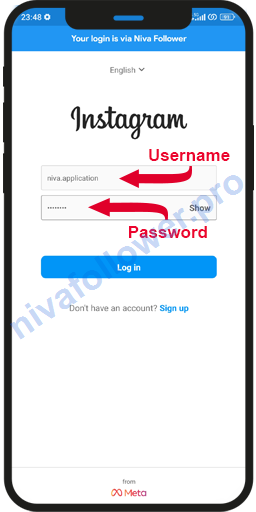
Installing an APK is not hard, but Android may show a few warnings if the file was downloaded outside Google Play. That is normal for APK files. The important part is knowing which prompts are expected and which ones should make you pause.
1. Download the current APK
Start from the download page and check the version box before saving the file. The current page lists version 8.5.2, file size 21.59 MB and Android 7.0+ support. The file record was checked on September 3, 2026, and the APK file header shows July 30, 2026 as its last modified date.
2. Allow APK installation when Android asks
Android usually asks for permission to install apps from the browser or file manager you used. Turn it on only for the install, finish the setup, and turn it off again if you do not normally install APK files.
3. Open the app and continue to login
Once the app is installed, open it from the Android home screen. The first screens ask the user to continue through Instagram login. That is part of the app flow, so the site should describe it directly instead of hiding it in small print.
4. Check the app screen before using tools
After sign-in, users should see the Niva Follower interface with account information, coins and order options. If the screen looks very different from the screenshots on this site, stop and check the source of the APK again.